Every tooth. Every X-ray. Every visit. One clear picture.
FlowChart keeps the tooth chart, the radiographs and the patient's history in one workspace, so you stop switching systems mid-consultation.
A proof of concept, now in early-access testing with dental professionals.
Tooth 26
Upper Left First Molar
- Planned crown
Dental records end up in too many places.
The radiographs are in one folder, the chart is in another system, and the treatment history is in someone's notes. FlowChart puts them behind one patient.
A tooth chart that looks like teeth.
A full 32-tooth FDI chart. Tap a tooth, choose the surface, record what is there. Existing and planned work look different at a glance, and past charts stay viewable. It works on a tablet at the chair. You enter every finding yourself, and FlowChart does not detect conditions.
Find the right X-ray in seconds.
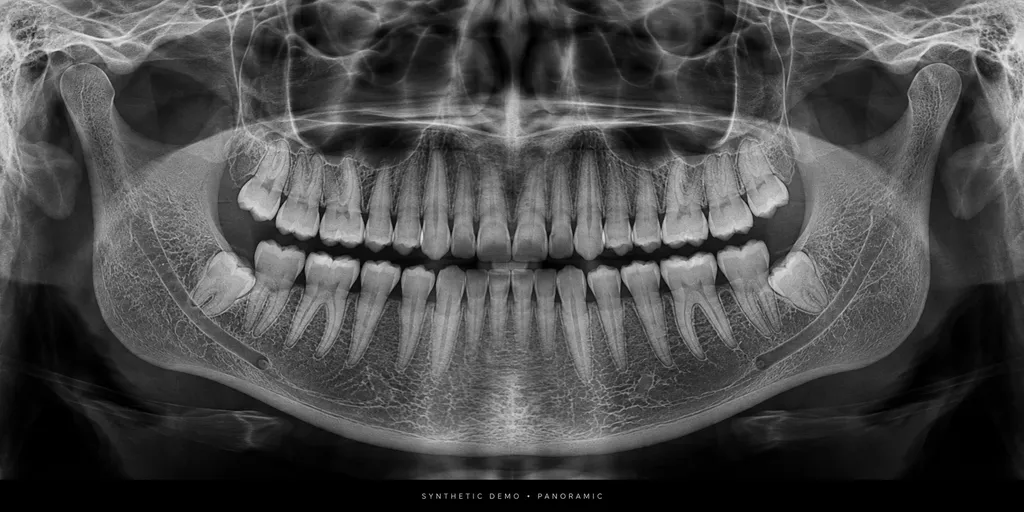
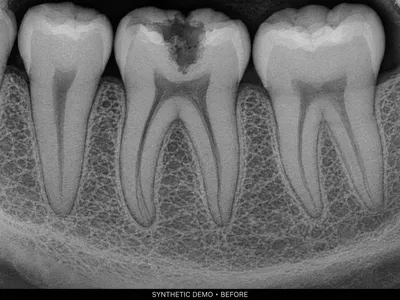
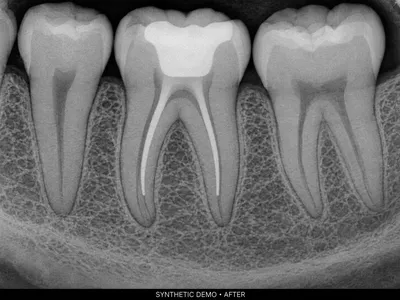
Radiographs are filed by patient and date, and you can tag each one to a tooth or quadrant. Zoom, pan, add notes, and compare two images side by side. JPEG, PNG and WebP are supported. FlowChart does not interpret images.
 Tooth 26
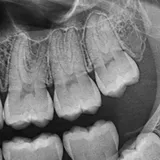
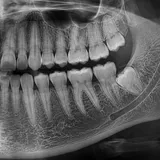 Quadrant 2
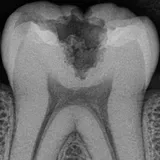 Tooth 36
Synthetic sample images for demonstration. Not real patient data. FlowChart does not interpret images.
One history for each patient.
Chart changes, new radiographs, clinician notes and treatments appear in date order. Search and filter the list, and open any past chart. Every change is recorded in the audit history.
14 Oct 2026 · Chart
Planned crown recorded on tooth 26
14 Oct 2026 · Imaging
Bitewing uploaded, tagged to quadrant 2
14 Oct 2026 · Note
Consultation: crack lines noted on 26, crown discussed
02 Mar 2026 · Chart
Existing root canal recorded on tooth 36
02 Mar 2026 · Imaging
Panoramic radiograph uploaded
How it works
- 1
Open the patient.
Their chart, images and records are all there.
- 2
Chart and file.
Record findings, attach images, add notes.
- 3
Review the history.
Treatments, radiographs and notes sit in one timeline.
Built for the chair
- Works on desktop, tablet and phone.
- Structured records that keep findings easy to find.
- Planned procedures are recorded and ready for downstream workflows.
- Clinic-scoped access, role permissions and record history.
Use it alone, or with DentaFlow.
Standalone FlowChart
For practices that already have management software and want dedicated charting, imaging and history.
- Patient records
- Charting
- Imaging library
- Timeline
FlowChart with DentaFlow
For DentaFlow practices, an optional module is planned. The integration is not live yet.
Learn about DentaFlowHelp shape FlowChart.
We are working with dental professionals to refine charting and imaging workflows. Request a demo, tell us what your practice needs, and we will get back to you.
Built around dental workflows.
FlowChart started with one question: how do we get dental teams out of their software and back to their patients? It is part of the FlowSuite family alongside DentaFlow, and practising dental professionals are shaping it.
Questions
The current application is a proof of concept and is not for clinical use.
See your whole patient in one place.
Bring the chart, the images and the history together.